
Turn your own question bank into a study app
Import questions from Excel, Word, PDF or text you copied, then practice, take timed mock exams and review your mistakes until they stick. No ads, no account, works offline.

 Coming soon
Free for up to 100 questions · iPhone, iPad and Android
How it works
Import
Add an Excel sheet, a Word document, a PDF or text you copied. QuizBao finds the questions, options, answers and explanations, and shows you a preview before anything is saved.
Practice
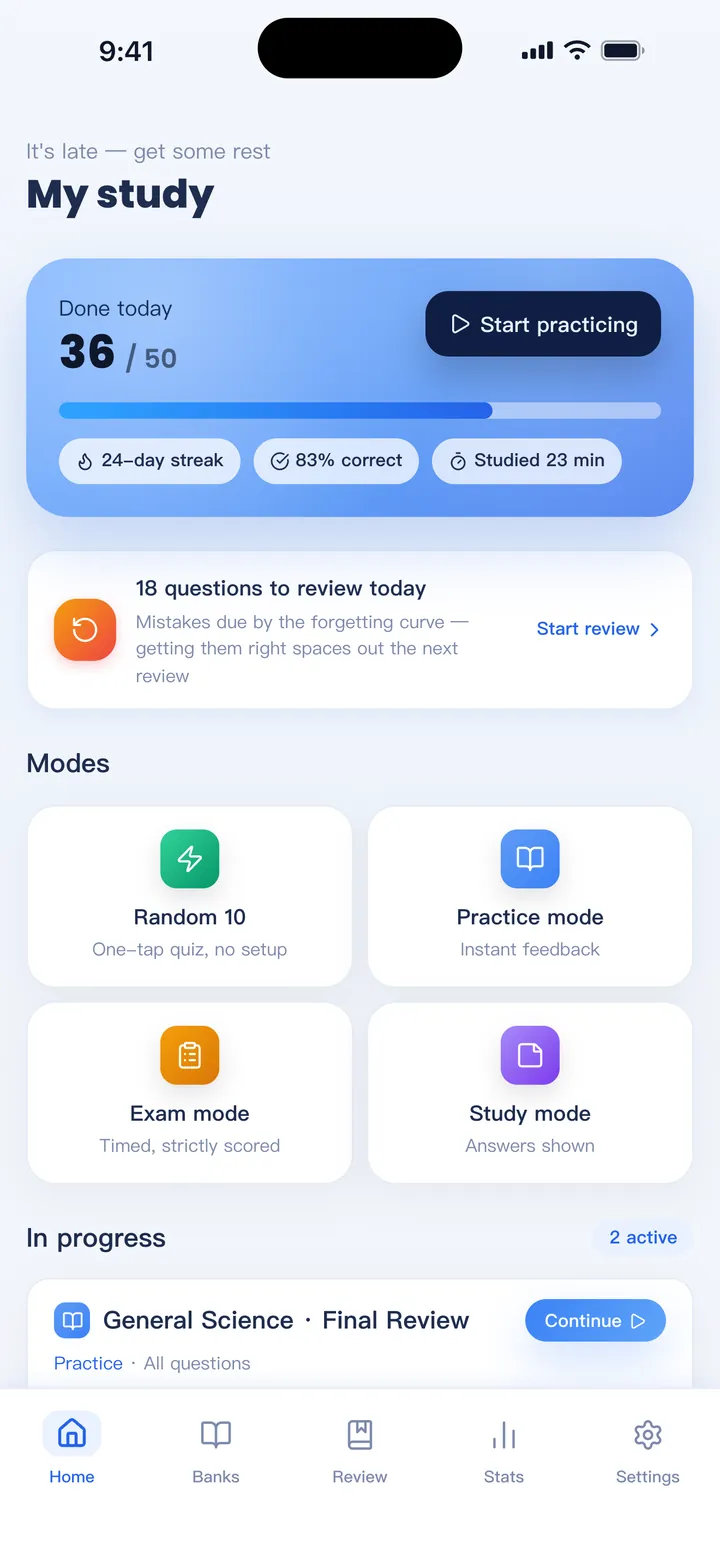
Go in order or at random, study with answers shown, take a timed mock exam, or clear the questions you already know so the set keeps shrinking.
Fix your mistakes
Every wrong answer goes to your mistake book and comes back on a spaced schedule until you get it right a few times in a row.
Everything you need to study your own material
Import almost any question file
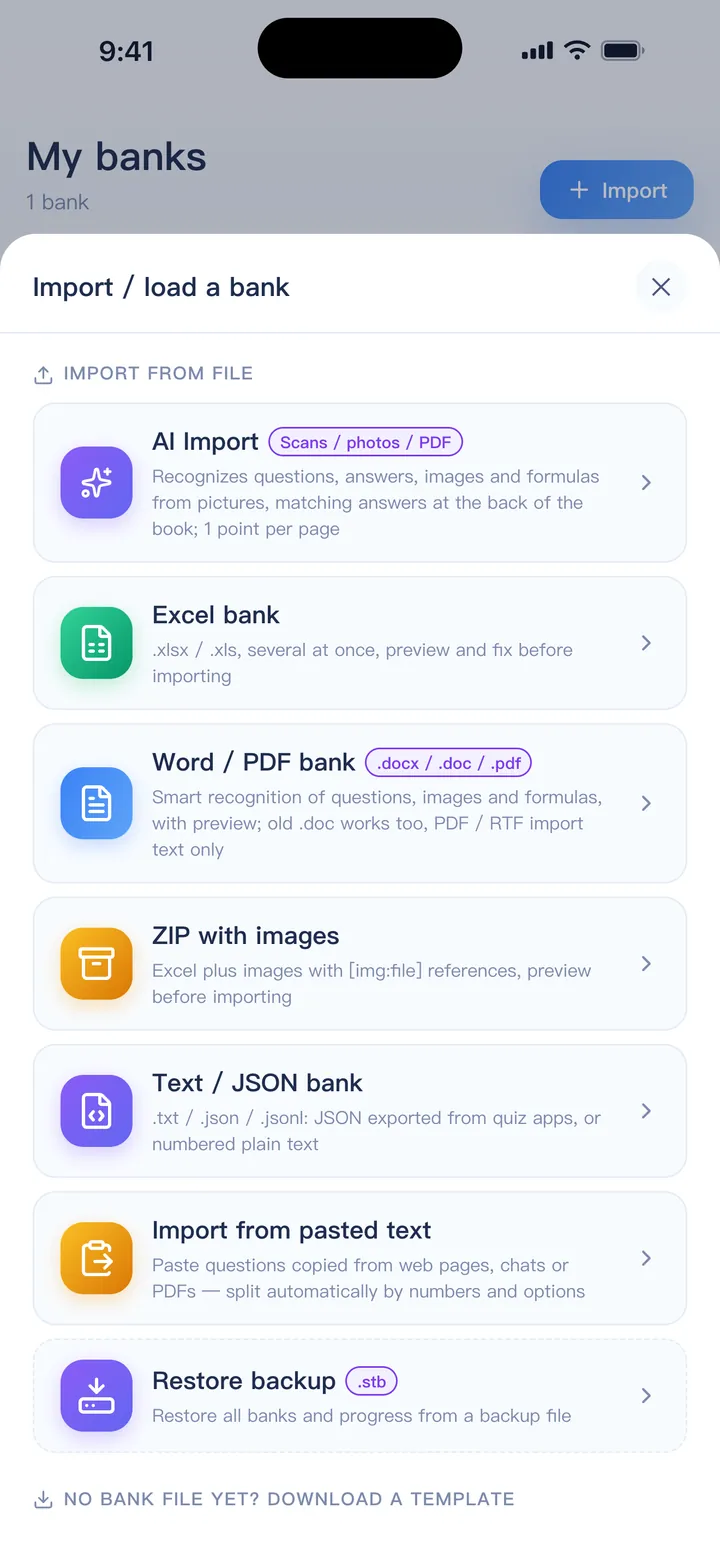
Bring the questions you already have. QuizBao reads them, works out the question types and lets you fix anything odd before importing.
- Excel (.xlsx / .xls) with English or Chinese headers
- Word (.docx / .doc) and PDFs with a text layer
- Text copied from web pages, chats or PDFs
- ZIP packages with images, and passage-based questions
Four ways to practice
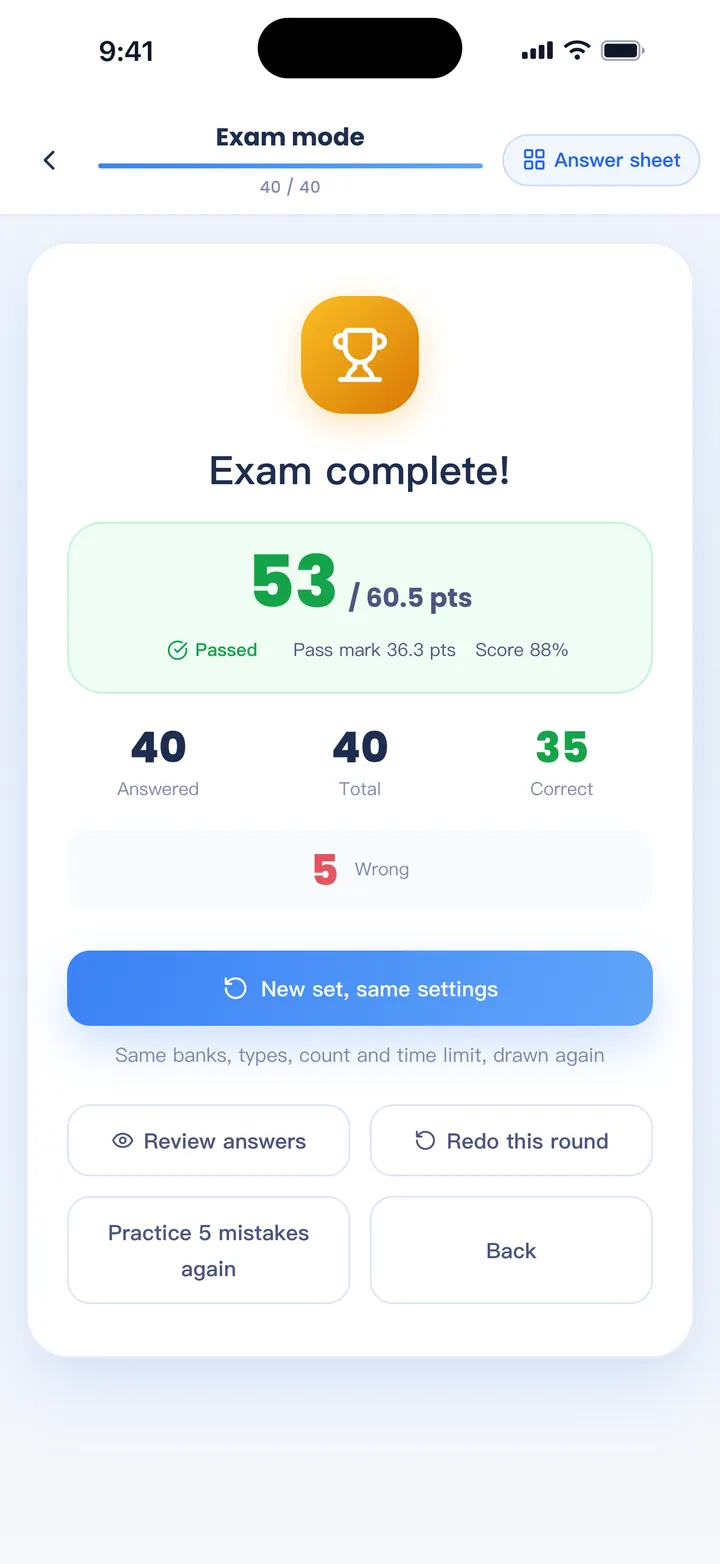
Pick the mode that fits the day — a quick round on the bus or a full timed paper before the real thing.
- Practice: in order, random or unseen first, with instant feedback
- Study: answers and explanations shown for a quick review
- Mock exam: timed random papers, automatic scoring and a pass line
- Mastery: clear what you know so only the hard ones are left
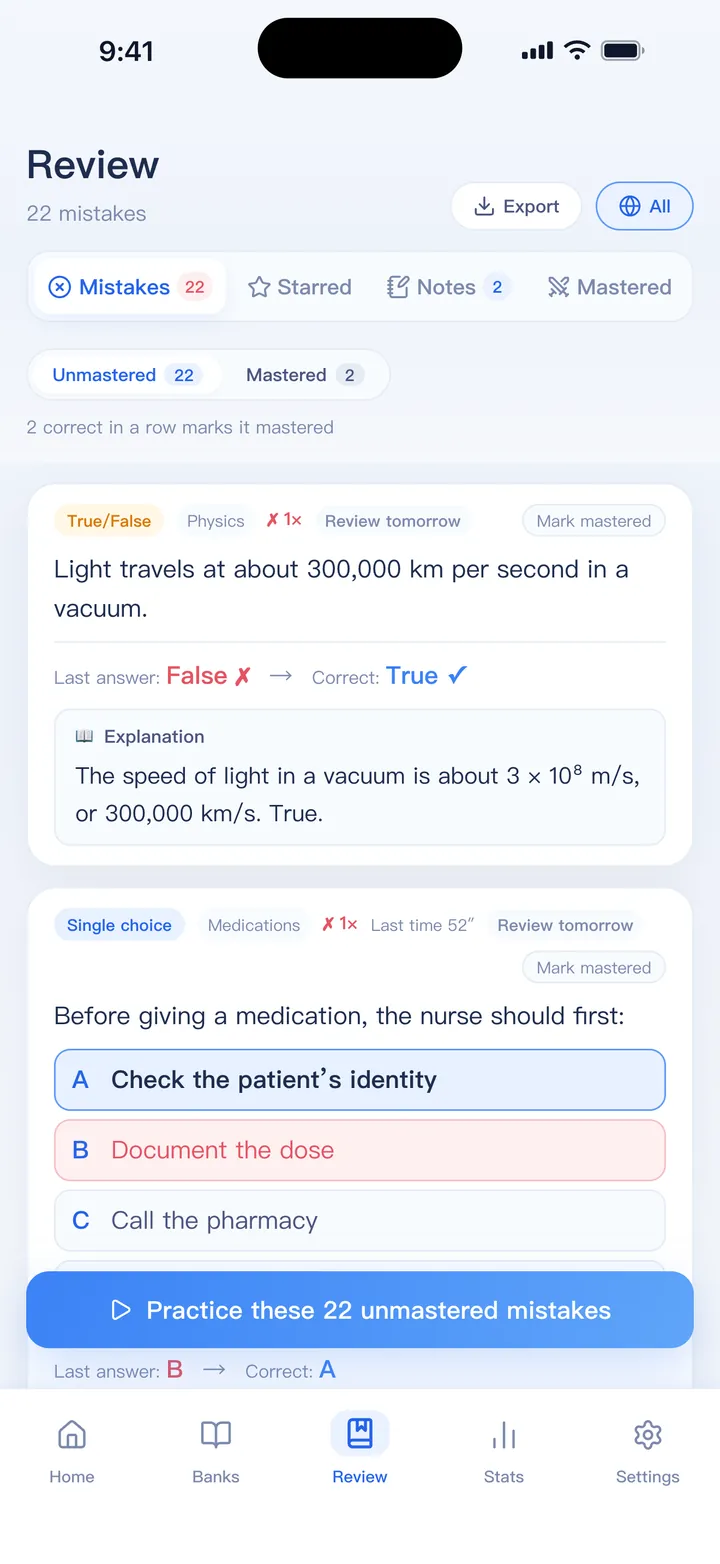
Learn from your mistakes
Wrong answers don't just disappear. They come back when you are about to forget them.
- Automatic mistake book; a few right answers in a row mark a question mastered
- Spaced review on the forgetting curve, with reminders
- Weak-spot analysis by chapter and question type
- Export mistakes to a printable Word file
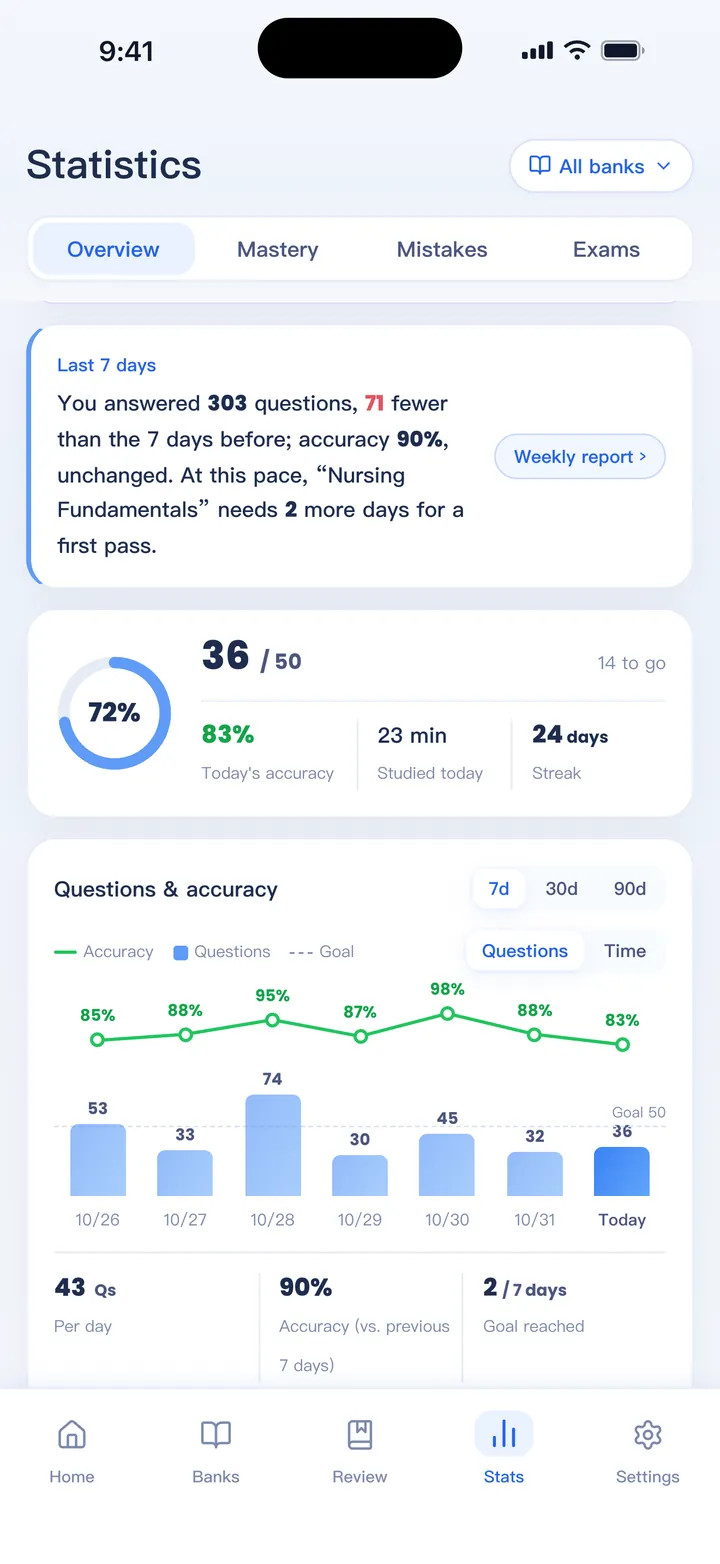
See your progress
Know whether you are on track, not just how many questions you have done.
- Accuracy trend, study time, streaks and your best study hours
- Mastery levels for every bank
- Set an exam date to get a daily target
- A weekly report you can share as an image
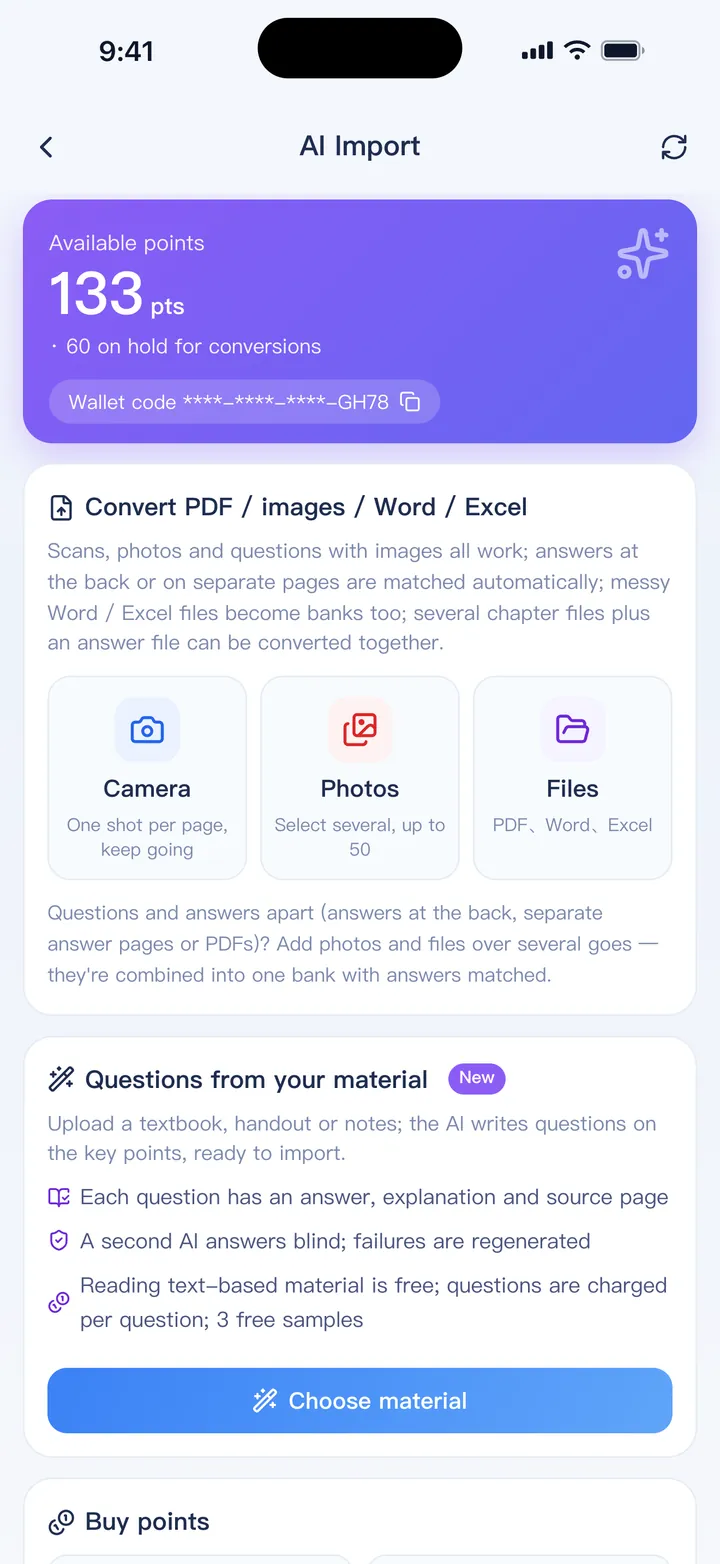
AI when you need it
Optional AI tools for the jobs that take the longest. You see the price in points before anything starts.
- AI Import turns scanned PDFs, photos and messy files into a clean bank
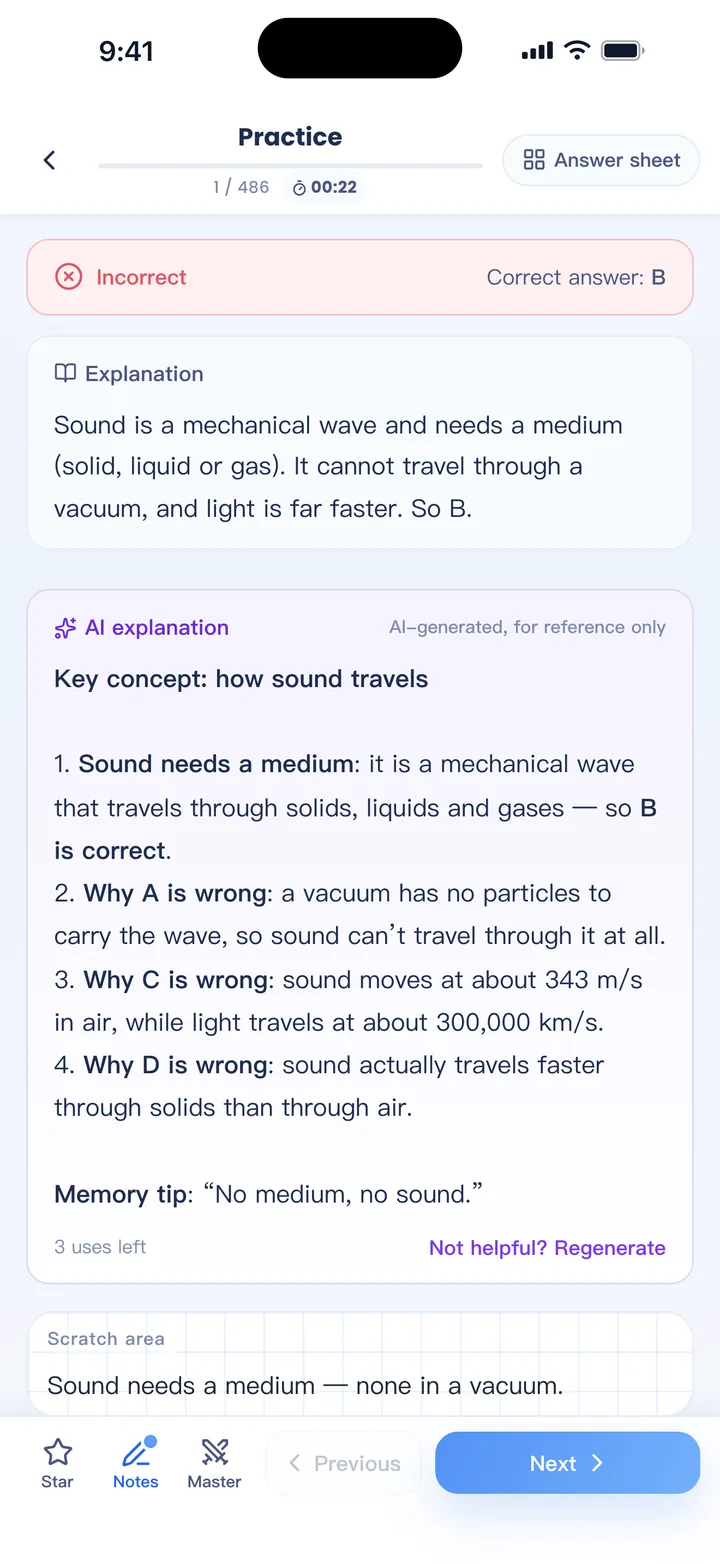
- AI explanations for any question, after you answer
- An AI study report with a 7-day plan, built from your statistics
- Fill in missing answers, or create questions from your own notes
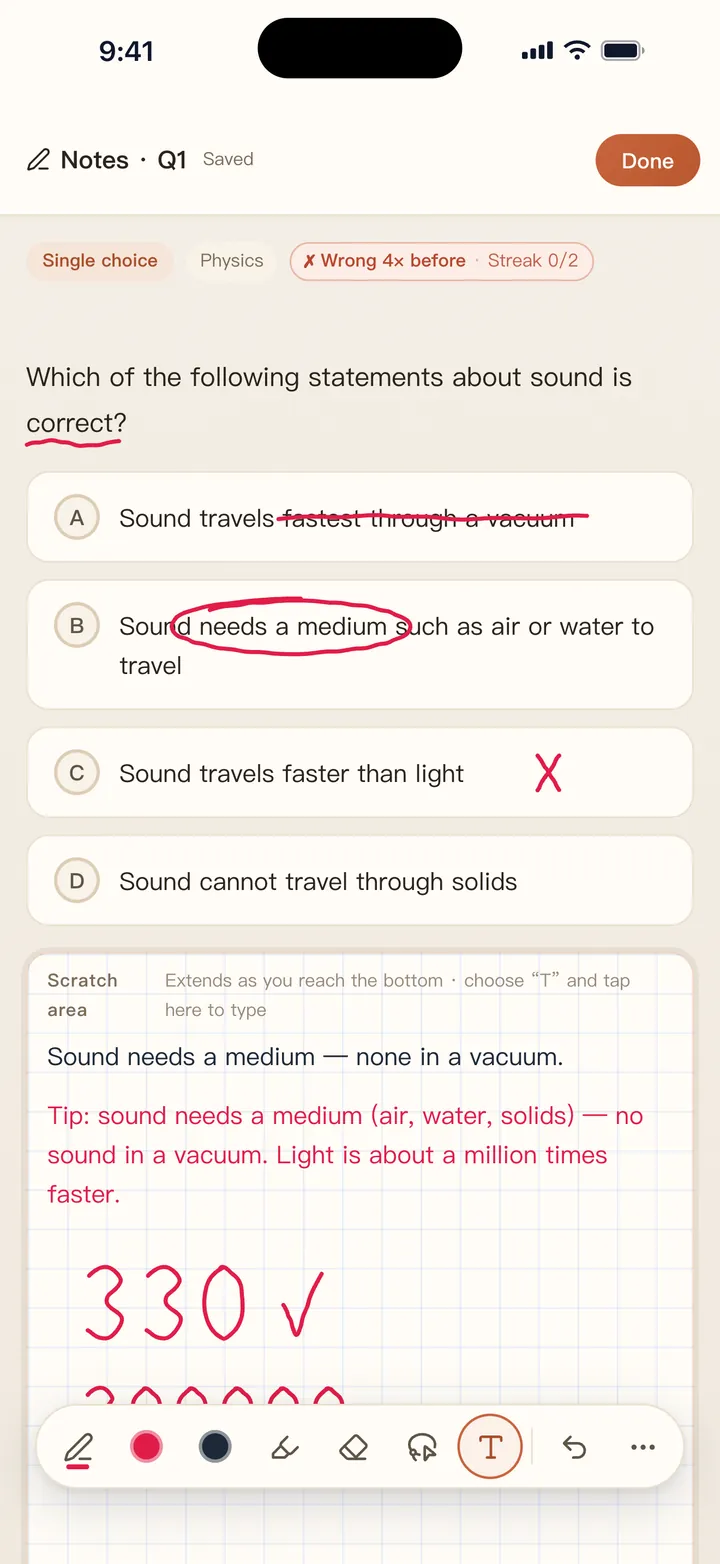
Write on any question
Notes and favorites stay with each question. Write with a finger or Apple Pencil, or use the scratch area for working.
- Typed or handwritten notes on the question itself
- Scratch area for calculations
- Notes on a shared passage are shared by its questions
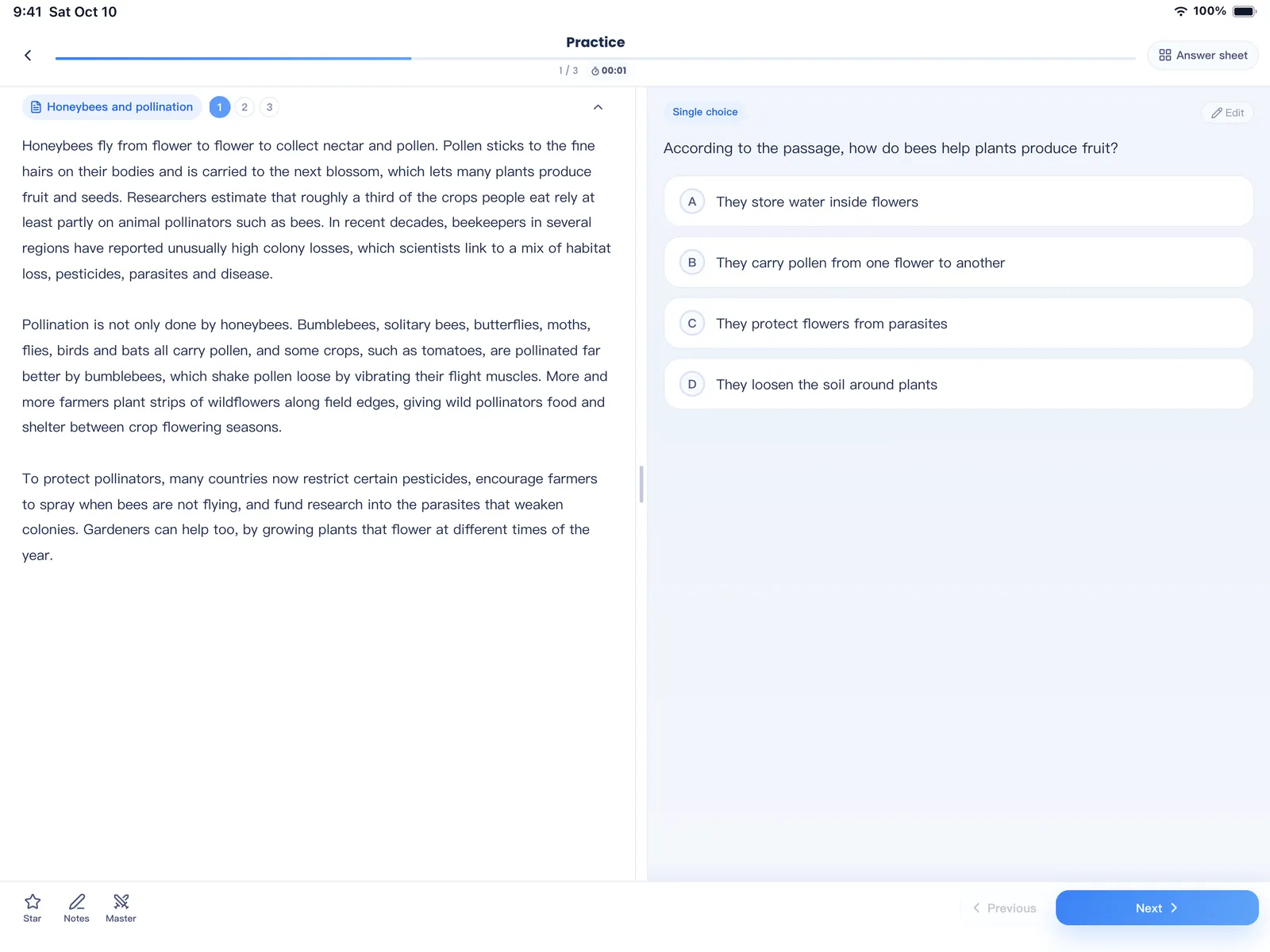
Reading and case questions, side by side
Several questions can share one passage, case or data set. On iPad and other wide screens a long passage sits beside the questions; on a phone, or when the passage is short, it stays at the top while you move through them.
- Import from an Excel “Material” column, Word or pasted text
- Shuffling keeps each group together
- Practice only the passage questions when you want to
Built for people who study from their own material
Certification and licensing
IT, finance, real estate, safety or trade exams where you have past papers and practice sets.
Nursing and healthcare
Large banks with long explanations, studied in short sessions between shifts.
Accounting and law
Chapter-by-chapter review with weak-spot analysis and mock exams.
Teachers and tutors
Turn handouts and past papers into practice sets students can repeat.
School and university
Course questions, vocabulary and end-of-term review.
Company training
Policy, safety and product knowledge checks without a learning platform.
Start free. Unlock everything when you are ready.
The free version never expires. The full version is a 7-day pass or a one-time purchase — no subscription. Prices are shown in the App Store and Google Play.
| Free | Full version | |
|---|---|---|
| Question banks | 1 bank, up to 100 questions | Unlimited |
| Import | Excel, text, pasted text | Plus Word, PDF and ZIP with images |
| Practice | Practice mode, retry mistakes | Plus mock exams, study and mastery modes |
| Review | Mistake book, favorites, notes | Plus spaced review and weak-spot analysis |
| Statistics | Basic statistics | Plus exam countdown and weekly report sharing |
| Export | — | Word exam papers, ZIP and Excel |
Eligible devices can claim a free 1-day trial of the full version in the app. AI features use points, sold separately in the app; points never expire.
Your question banks stay on your device
No account
Open the app and start. There is nothing to sign up for.
Works offline
Practice on a plane or in the subway. Your banks and records live on your phone or tablet.
Uploads only for AI
Content leaves your device only when you use an AI feature, and only what that feature needs.
No ads, no trackers
No advertising, analytics or login SDKs from other companies.
Questions people ask
Is QuizBao free?
Yes. The free version never expires: one bank of your own with up to 100 questions (the sample banks don't count), Excel and text import, adding questions by hand, practice mode, retrying mistakes, favorites, notes and basic statistics.
What does the full version add, and how much is it?
Unlimited banks and questions; Word, PDF and ZIP import; mock exams, study and mastery modes; spaced review and weak-spot analysis; exports and more — see Features. You can buy a 7-day pass, which does not renew, or a one-time lifetime purchase. There is no subscription. The price for your country is shown in the App Store or Google Play before you pay.
Where are my questions stored? Can I lose them?
Your banks, answers and notes are stored on your device, not on our servers. That also means deleting the app deletes them, so export a backup from Settings from time to time. On iPhone and iPad you can also turn on backup to your own iCloud.
Which files can I import?
Excel (.xlsx / .xls), Word (.docx / .doc), PDFs with selectable text, plain text, JSON from other quiz apps, ZIP files with images, and text you paste. Scans and photos go through AI Import. The import guide shows how to lay out each one.
Bring your questions. Start practicing today.
Free to download for iPhone, iPad and Android.
Coming soon